
TESSA documentation
TESSA (Thermal Energy System Simulation Assistant) designs heating and cooling systems, from a single building to a district network. You model the demand, choose and size the sources, design the distribution where there is one, and get the costs, all in one place. TESSA can be used via your web browser and supports API access and AI connectors via the MCP protocol. See the Version history for the latest updates.
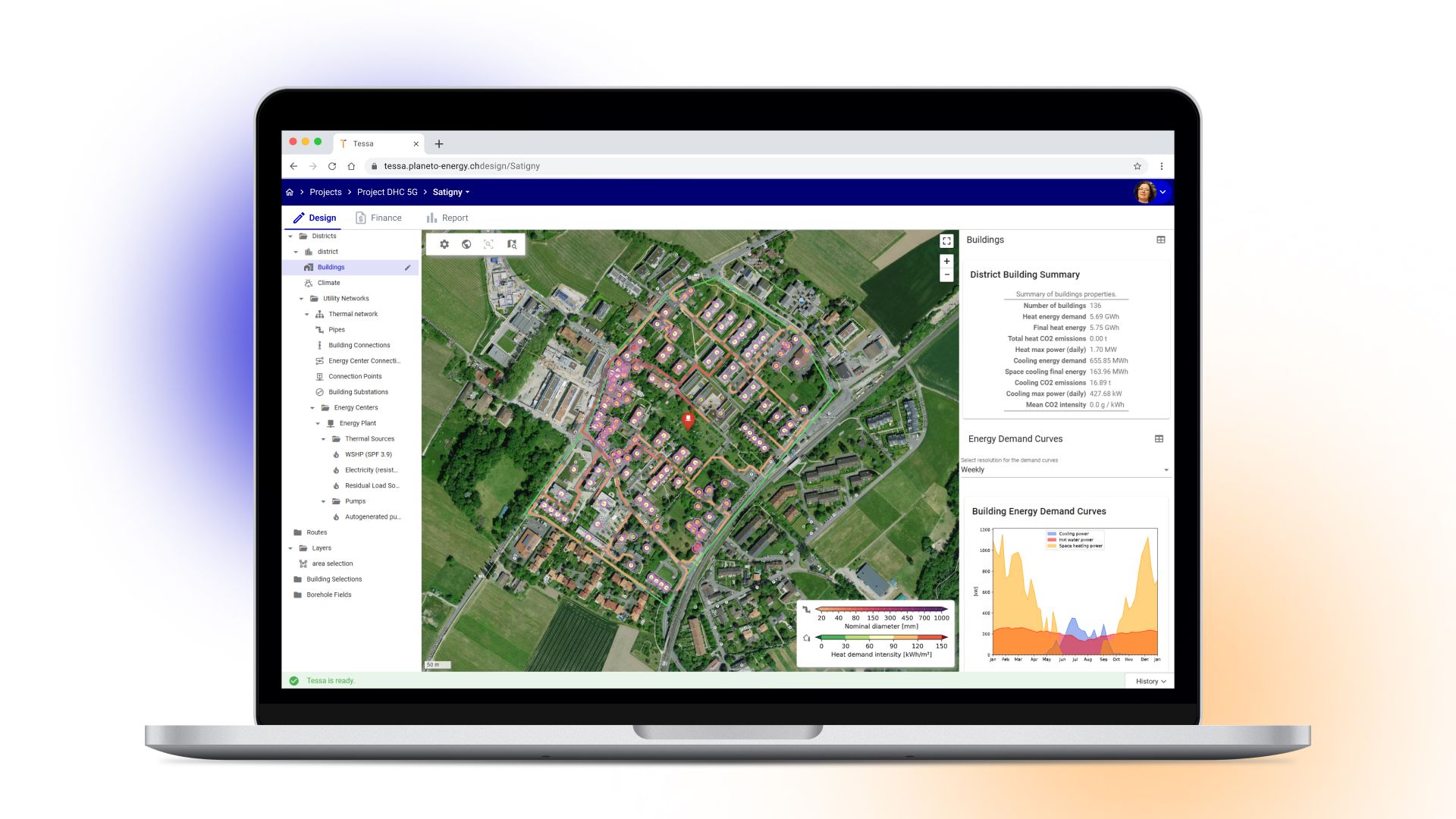
From one building to a district
The same workflow and tools apply at every scale. Only the area you work on changes.
- Single building. Model the demand of one building or complex, new or renovated, and size its system: a heat pump, a borehole field, a combination of sources. Test it against future climate and get the costs over its lifetime.
- Microgrid. A campus, hospital, industrial site or housing estate where a few buildings share sources, often on a low-temperature loop with a heat pump in each building.
- District network. Dozens to thousands of buildings, one or several energy centres, from classic high-temperature district heating to 5th generation ambient networks with simultaneous heating and cooling.
How this manual is organised
- Getting started orients you: what TESSA does, your first login, the pages of the app, and how to get buildings in. Read it once, in order.
- User guide has one page per task. Go there when you know what you want to do.
- Reference covers every tool, the methods behind the results, the data fields and file formats, and a feature list. Go there to look something up or defend a result.
- Version history lists what changed in each release.
Good to know
- Labels in bold are written exactly as the app shows them, for example Tools or Run. The app is available in English, German, French and Italian.
- What you can see and do depends on your organisation's licence and your role. A tool you don't have access to is hidden, not greyed out. See Members, roles and usage.
Need help?
See Getting help and the FAQ.